
The situation
A project team gathers final documents, photo progress, reports, compliance context and outstanding payments before moving the job into completed status.
In this scenario, the organisation is not looking for another isolated task list. The operating problem is that customer, project, people, supplier, governance and commercial information move through different tools at different stages. That fragmentation creates hand-offs, duplicate updates and management blind spots.
The operational challenge
How Taskeeper supports the workflow
The team can introduce Taskeeper around the workflow that is causing the most friction, then connect more controls as adoption grows. A practical operating sequence for this scenario is:
The information is captured once and remains available to the next stage of work.
Ownership, dates and project context remain visible to the people doing the work.
The relevant operational and commercial context stays attached to delivery rather than a separate tracker.
The information is captured once and remains available to the next stage of work.
Ownership, dates and project context remain visible to the people doing the work.
The relevant operational and commercial context stays attached to delivery rather than a separate tracker.
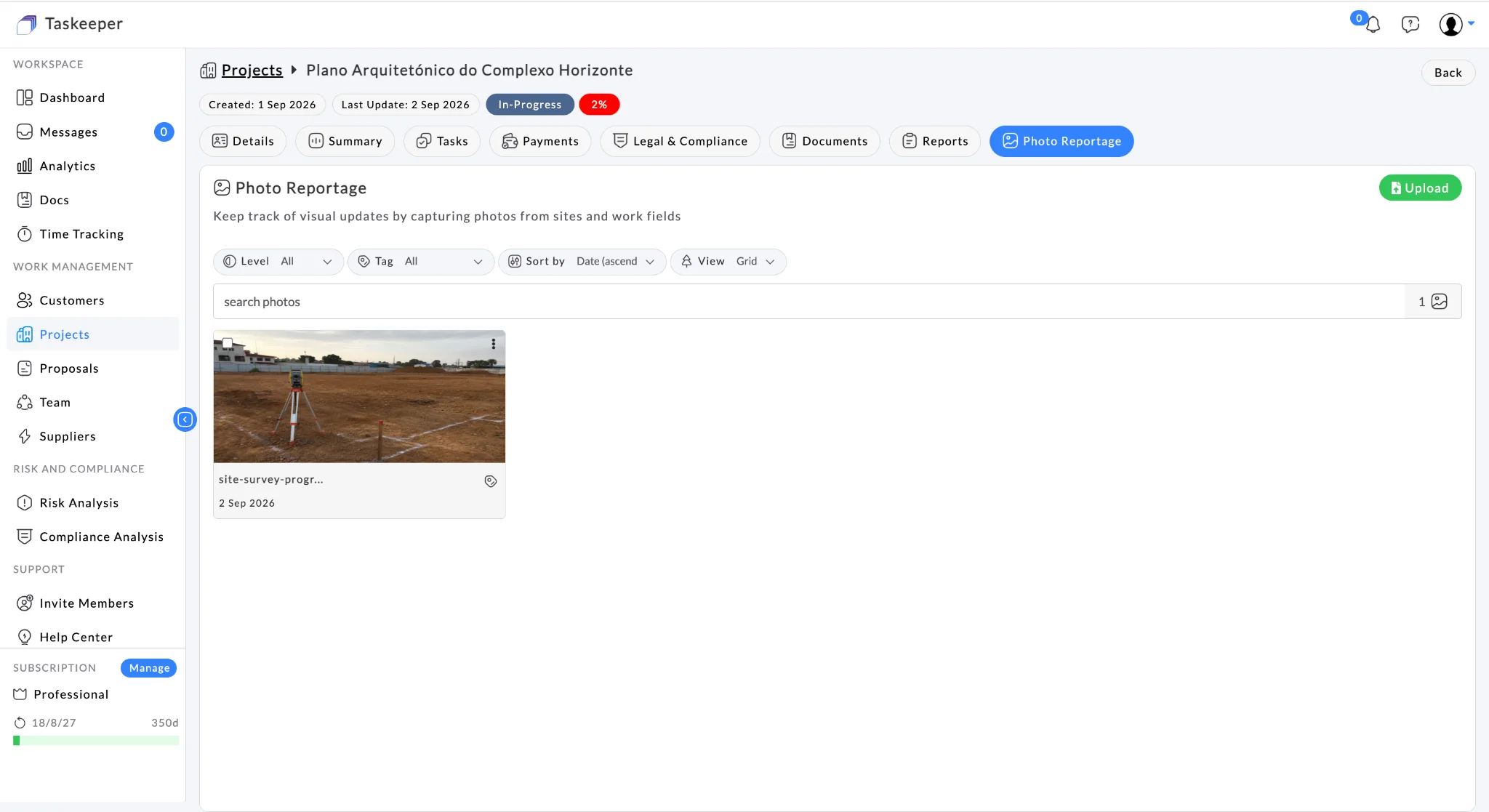
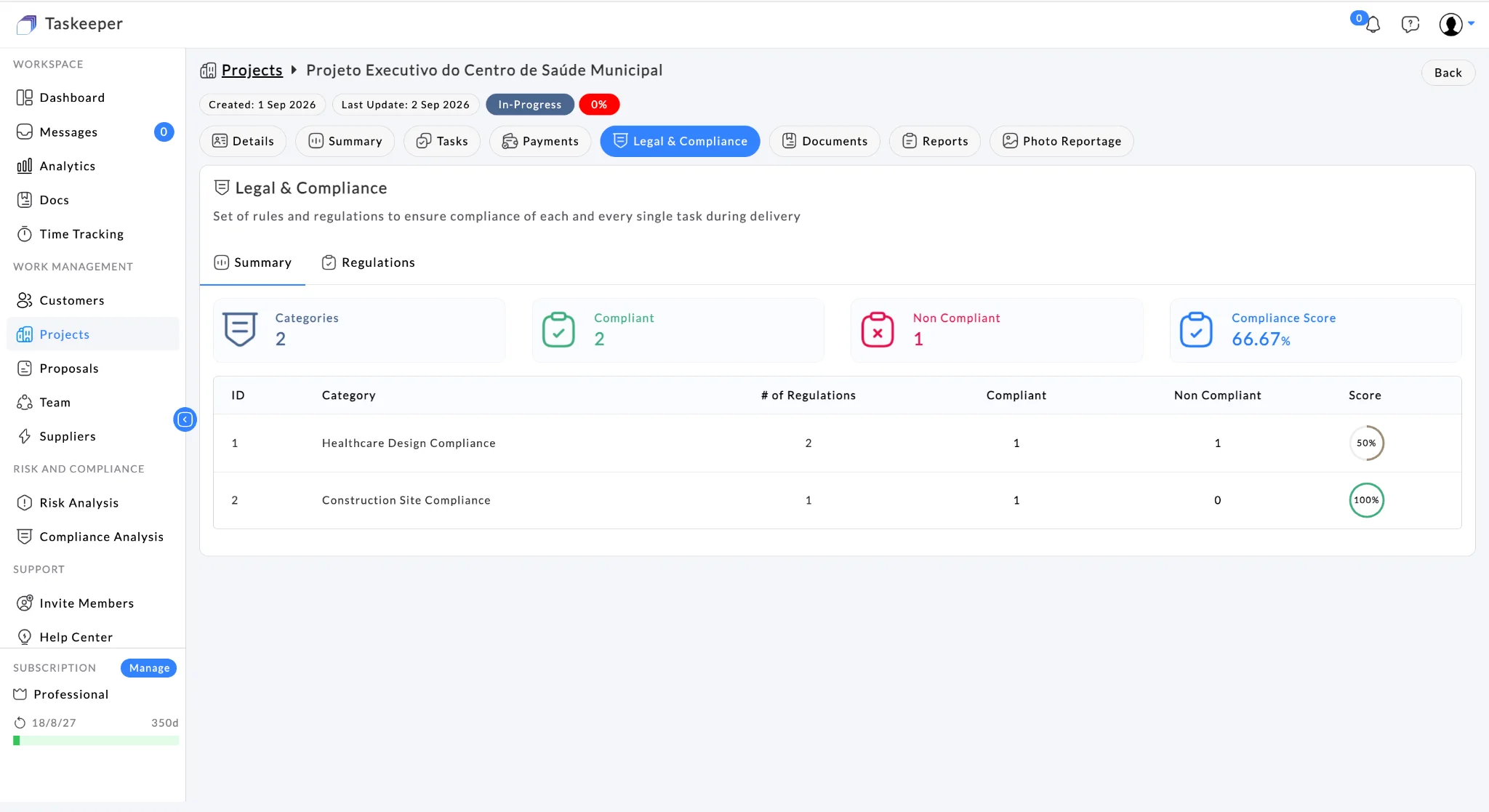
Compliance closeout
This view keeps the relevant operational data inside the same connected workspace.
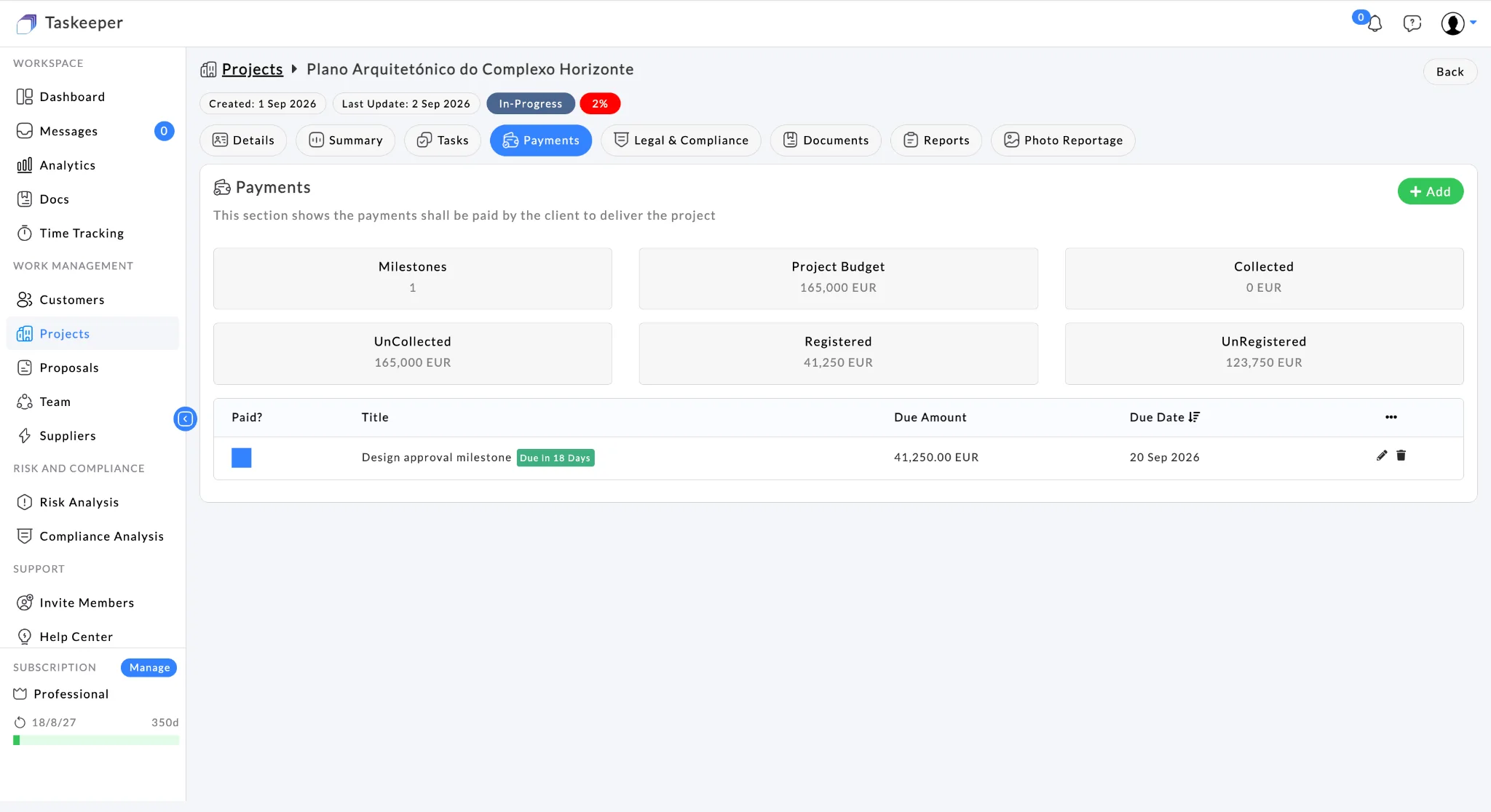
Commercial closeout
This view keeps the relevant operational data inside the same connected workspace.
The use case becomes easier to understand when the operational story is connected to the platform views the team uses day to day.
See Taskeeper in this workflow
Taskeeper capabilities used
No single module creates the value by itself. The value comes from keeping the relevant records connected as the work moves forward.
What management can see
Potential business value
A connected workflow can support improvements such as:
Why this use case matters
Taskeeper is most differentiated when the organisation uses it as a connected operational layer rather than a collection of separate modules. In this scenario, the same underlying project context can support delivery decisions, resource conversations, commercial review and management reporting without repeatedly rebuilding the story in spreadsheets or slide decks.
The organisation can also start narrowly. It might begin with customers, projects and tasks; add documents and resources once the team is comfortable; then introduce budget, payments, risk, compliance or analytics where they create clear operational value.