Action owners are unclear
Tasks and decisions move through email, spreadsheets and meetings without a durable source of truth.

Keep tasks, dates, assignees, evidence, risks, compliance and commercial context connected so project managers spend less time rebuilding status and more time managing delivery.
Tasks and decisions move through email, spreadsheets and meetings without a durable source of truth.
Progress, risk and commercial information must be reconciled before each update.
Risk registers become periodic governance documents rather than active control tools.
Documents, compliance, photos and payment status are gathered late in the project.
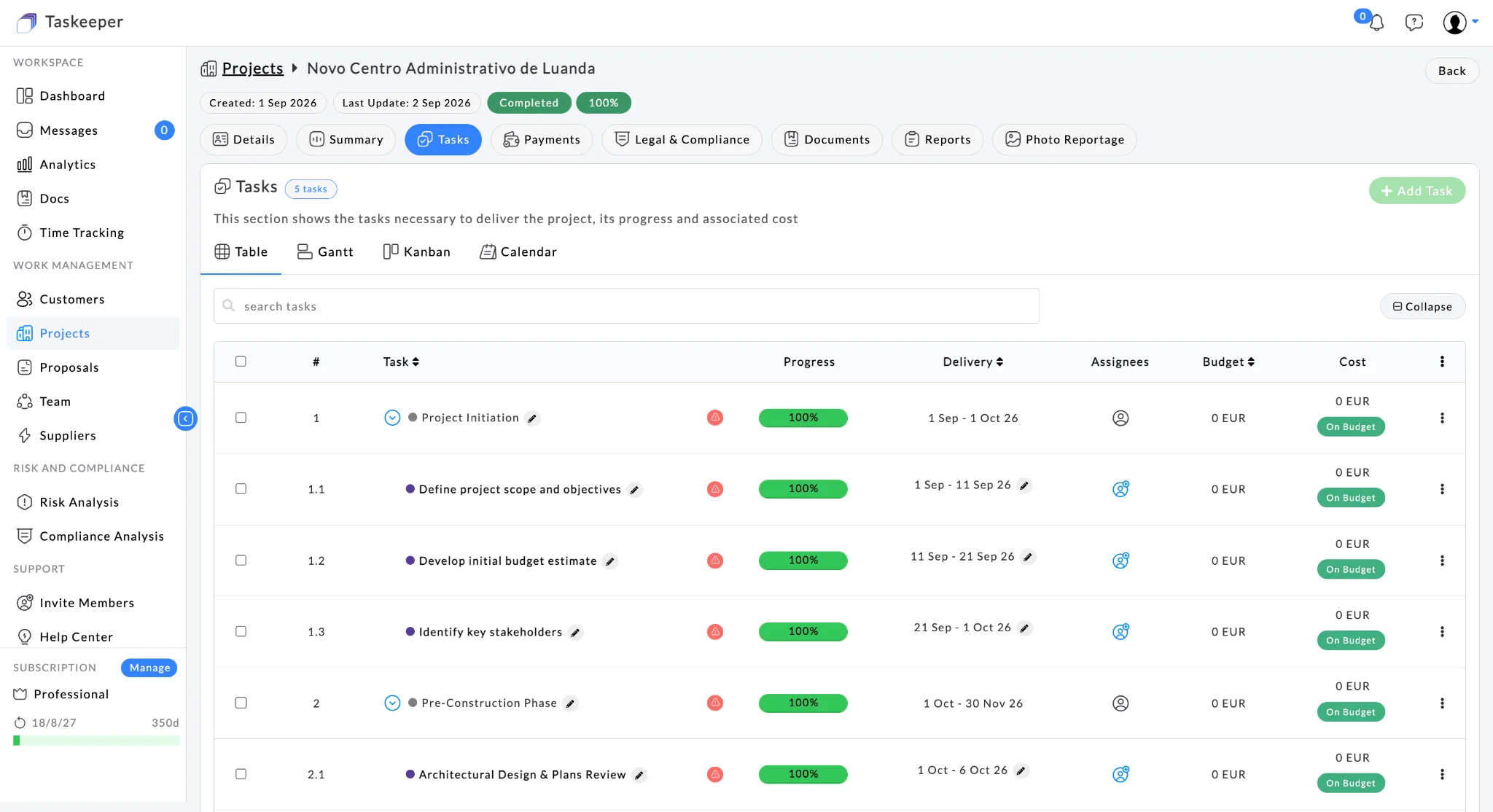
Task views make work visible with progress, dates, assignees, budget and cost context.
Task views make work visible with progress, dates, assignees, budget and cost context.
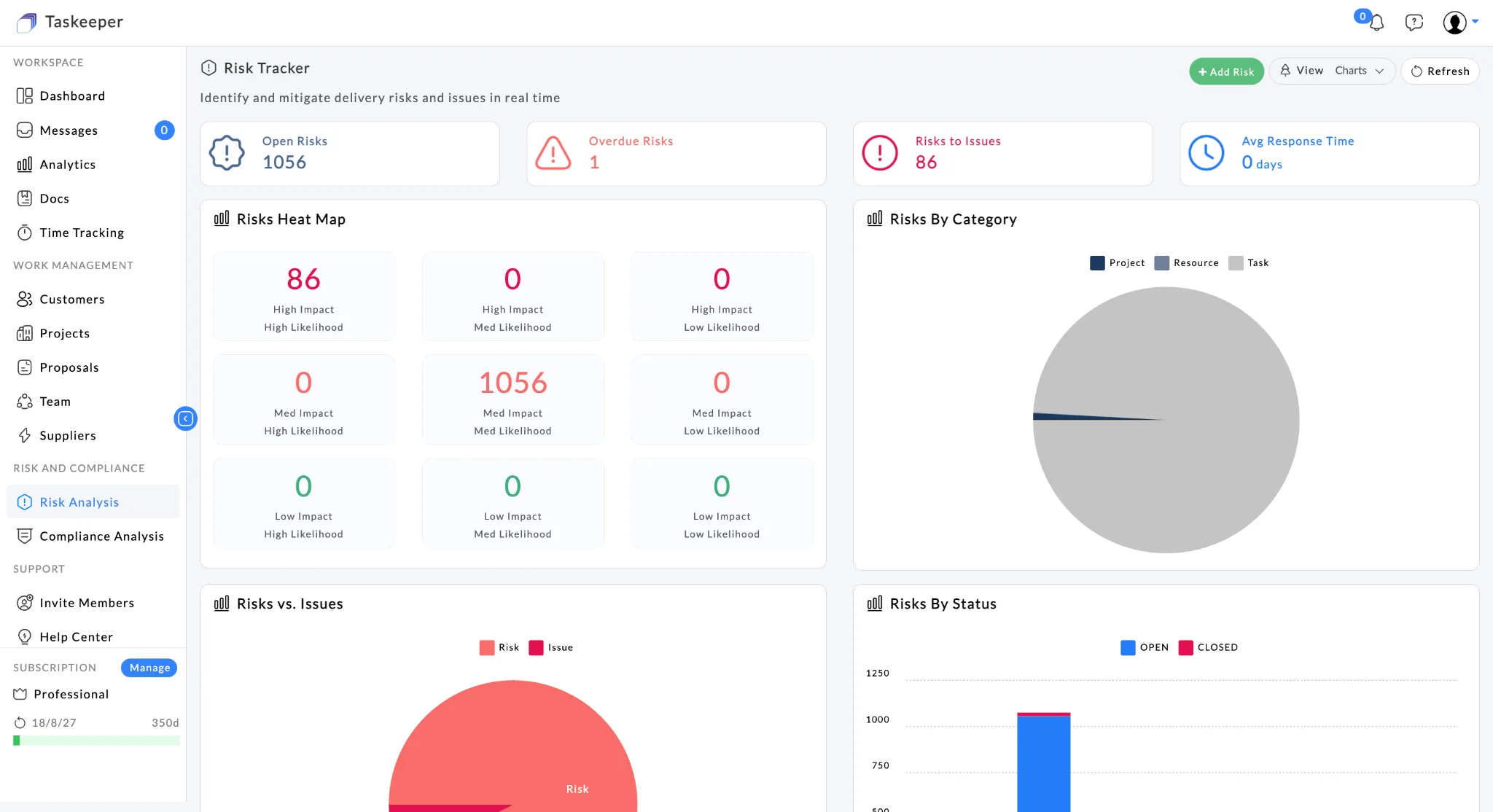
Risk analysis helps project managers prioritise attention and escalation.
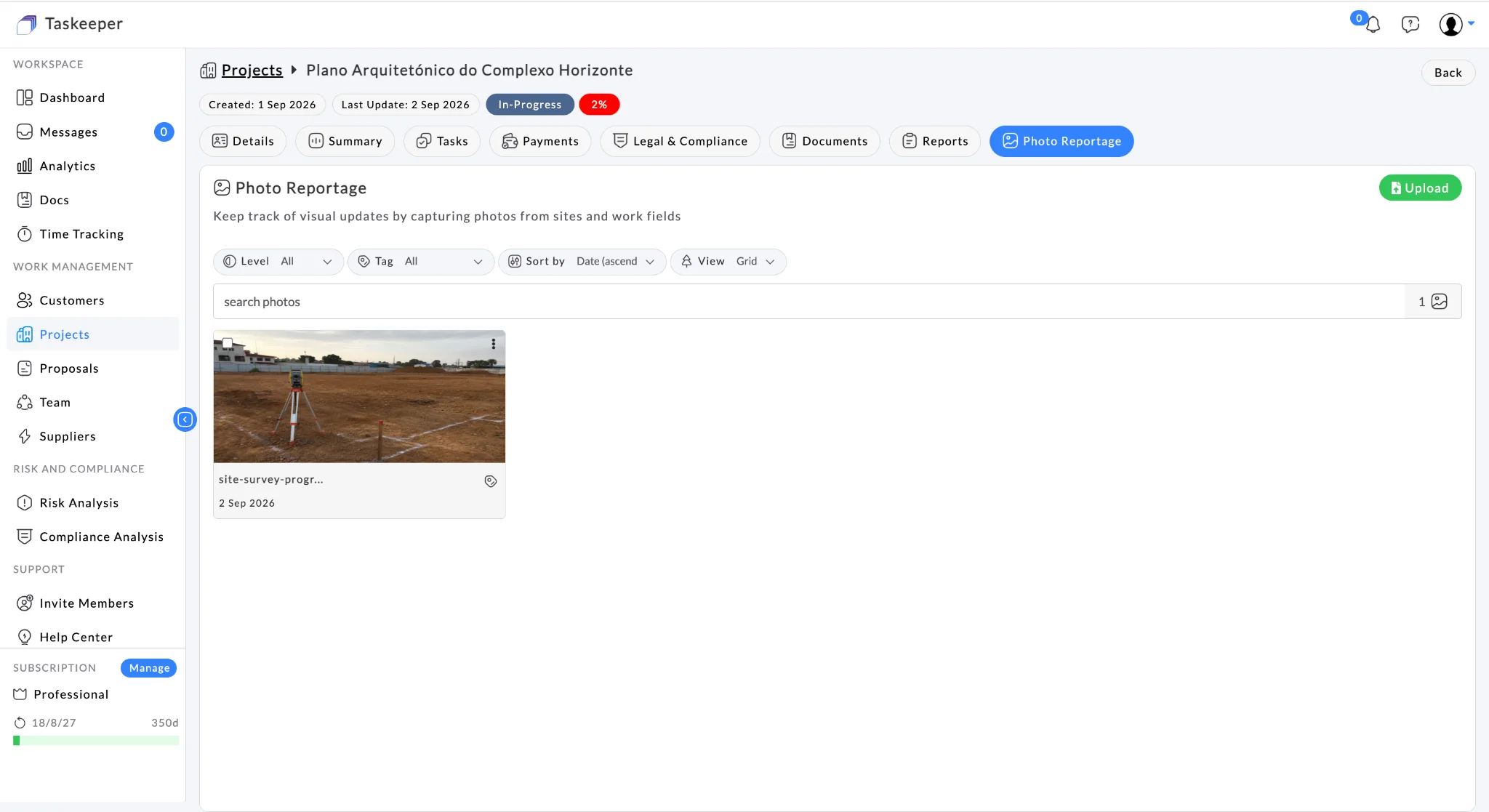
Photo reportage supports visual project updates and closeout evidence.
A project management consultancy coordinates six live client projects. Project managers need action ownership, programme visibility, risk mitigation, compliance, evidence and commercial context to remain current without rebuilding weekly status packs.
The problem is not a lack of software. It is that the operating picture is fragmented across too many places.
The same customer, project, people, commercial and governance context can support decisions from planning through delivery and closeout.
Taskeeper is designed so each capability becomes more useful when it shares customer, project, people and commercial context with the rest of the workflow.
Table, Gantt, Kanban and Calendar views for project work.
Connect assignees, resource context and time to project tasks.
Track likelihood, impact, mitigation, ownership and issues.
Review compliance categories, status and project context.
Keep project budget and payment milestones accessible.
Bring documents, photo evidence and reports together before completion.
Understand who is available, healthy, full or overloaded. Connect planned resource allocation with actual time worked so managers can rebalance work, review timesheets and understand labour
→Communicate with colleagues, project teams and authorised clients inside the same operational workspace where the work is managed — reducing the need to scatter project context across person
→Capture progress evidence from the exact project or task and keep it organised with the work. Taskeeper stores the project/task context, uploader, timestamp, tags and description so visual r
→Taskeeper can use project location to surface relevant legal, safety and regulatory requirements for supported markets, helping teams understand what is required, who owns it, what evidence
→Taskeeper is designed to fit into an existing technology landscape rather than creating another data island. Standard onboarding can start with import/export templates, while ongoing integration can use APIs or CSV-based exchange.
Download the Taskeeper Excel import/export template, populate it with your existing customer, project, resource or other supported data, then import it back into Taskeeper.
Use Taskeeper APIs for system-to-system integration, or consume and produce CSV files where a lightweight data exchange is sufficient. This supports gradual adoption without forcing every surrounding system to change at once.
Role-based permissions, MFA, SSO/SAML, encryption in transit and at rest, audit logging, backups and disaster recovery, security monitoring, vulnerability management, incident response, API security, least-privilege access, data retention/export/deletion controls, GDPR/DPA support and multi-company segregation are part of the launch security model.
Yes. Project tasks can be viewed in Table, Gantt, Kanban and Calendar formats.
Yes. Risk records include ownership, likelihood, impact, mitigation, status, resolution and escalation information.
Yes. Legal and compliance information can be reviewed within the project workspace rather than being managed only as a separate periodic register.
Taskeeper brings documents, photo reportage, reports, compliance and payment context into the project workspace, supporting a more controlled closeout process.
Bring one real workflow to a demo and map it to the Taskeeper capabilities that can create value first.